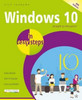
Windows 10 introduces a range of new features to tailor the operating system more for specific devices, so that the desktop version is more suited to use with a mouse and keyboard and the mobile version is better suited to touchscreen devices such as Windows 10 tablets and smartphones. One of the biggest changes is the reintroduction of the Start menu which was removed in Windows 8 and 8.1. (The Start button was removed but then re-introduced.) This is similar to the function of earlier versions of Windows, such as Windows 7, XP and earlier, and provides the familiar Start button and menu, along with the live tiles feature that were introduced with Window 8 and 8.1. This is all customizable so that items can be added and removed so that each user can create their own look and feel. Apps are an integral part of Windows 10 and in the new version all apps will work on the Desktop, rather than having to switch between different environments depending on the apps being used. This creates a much smoother user experience and enhances the feeling that there is one single operating system at work. A new Taskbar feature is also added in Windows 10 so that it is possible to view and switch between open documents and apps and also see everything that you have open on your system. "Windows 10 in Easy Steps" provides full-color and comprehensive coverage of the new operating system and shows how to get the most out of it, whether you are using a desktop computer or a mobile device. It details the new features and shows how these integrate with the more traditional elements of the operating system. Windows 10 is one of the most significant upgrades in Microsoft's history and "Windows 10 in Easy Steps" is an essential companion to ensure that you can hit the ground running when it is released.
Windows 10 introduces a range of new features to tailor the operating system more for specific devices, so that the desktop version is more suited to use with a mouse and keyboard and the mobile version is better suited to touchscreen devices such as Windows 10 tablets and smartphones. One of the biggest changes is the reintroduction of the Start menu which was removed in Windows 8 and 8.1. (The Start button was removed but then re-introduced.) This is similar to the function of earlier versions of Windows, such as Windows 7, XP and earlier, and provides the familiar Start button and menu, along with the live tiles feature that were introduced with Window 8 and 8.1. This is all customizable so that items can be added and removed so that each user can create their own look and feel. Apps are an integral part of Windows 10 and in the new version all apps will work on the Desktop, rather than having to switch between different environments depending on the apps being used. This creates a much smoother user experience and enhances the feeling that there is one single operating system at work. A new Taskbar feature is also added in Windows 10 so that it is possible to view and switch between open documents and apps and also see everything that you have open on your system. "Windows 10 in Easy Steps" provides full-color and comprehensive coverage of the new operating system and shows how to get the most out of it, whether you are using a desktop computer or a mobile device. It details the new features and shows how these integrate with the more traditional elements of the operating system. Windows 10 is one of the most significant upgrades in Microsoft's history and "Windows 10 in Easy Steps" is an essential companion to ensure that you can hit the ground running when it is released.
Windows 10 in easy steps Special Edition is a comprehensive, yet concise guide that will walk you through Windows 10 basics so that youre up and running in no time. Then, in easy steps, itll gently...
Windows 10 in easy steps, 4th Edition shows you everything you will need to know to get up to speed with Windows 10. Covers the Redstone 4 Update, due for release Spring 2018 Windows 10 in easy...
Windows 10 in easy steps, 2nd Edition provides full-colour and comprehensive coverage of this new operating system from Microsoft, and shows how to get the most out of it, whether you are using a...
Discover your next great read at BookLoop, Australiand online bookstore offering a vast selection of titles across various genres and interests. Whether you're curious about what's trending or searching for graphic novels that captivate, thrilling crime and mystery fiction, or exhilarating action and adventure stories, our curated collections have something for every reader. Delve into imaginative fantasy worlds or explore the realms of science fiction that challenge the boundaries of reality. Fans of contemporary narratives will find compelling stories in our contemporary fiction section. Embark on epic journeys with our fantasy and science fiction titles,
Shop Trending Books and New Releases
Explore our new releases for the most recent additions in romance books, fantasy books, graphic novels, crime and mystery books, science fiction books as well as biographies, cookbooks, self help books, tarot cards, fortunetelling and much more. With titles covering current trends, booktok and bookstagram recommendations, and emerging authors, BookLoop remains your go-to local australian bookstore for buying books online across all book genres.
Shop Best Books By Collection
Stay updated with the literary world by browsing our trending books, featuring the latest bestsellers and critically acclaimed works. Explore titles from popular brands like Minecraft, Pokemon, Star Wars, Bluey, Lonely Planet, ABIA award winners, Peppa Pig, and our specialised collection of ADHD books. At BookLoop, we are committed to providing a diverse and enriching reading experience for all.
Sign In
your cart
Your cart is empty
Menu
Search
PRE-SALES
If you have any questions before making a purchase chat with our online operators to get more information.