Solving the Riddle of Microsoft and Your Computer provides easy to follow step by step instructions.Chapter one provides some useful facts about your computer. This Chapter describes such things as how to operate your mouse; how to modify your screen saver and printer settings; options for printing files; how to use different functions of the calculator; playing and storing music; using Snipping Tool to capture images; determining amount of Radom Access Memory (RAM) is on your computer; determining your computer name; how to use Microsoft Excel to keep track of financial transactions. Chapter two discusses how to use Microsoft File Explorer. I refer to File Explorer as the electronic filing cabinet. This chapter provides a description of the drives in your computer; how to create top level and sub-folders in your C-Drive also known as the hard drive; how to find files in File Explorer; copying files from the C-Drive and changing properties on files.Chapter three is the real meat of this book. It provides detailed information on the most useful Microsoft Word functions. You will learn how to use pull down menus to include (Find, Replace, Tracking Changes, Accepting or Rejecting Changes, saving files, Print Preview, Printing, inserting Headers and Footers); additional topics on cover pages, inserting blank pages, inserting page breaks, inserting tables and inserting pictures; next you will learn how to adjust margins, adjust orientation, adjusting size of paper, inserting columns, inserting page and section breaks, how to vertical line numbers; an in depth discussion concerning interactive table of contents; other useful tools include inserting symbols, inserting footnotes, inserting text boxes, inserting other files into Word, how to use Format Painter, description of formatting fonts and how to insert splits in Word.
Solving the Riddle of Microsoft and Your Computer provides easy to follow step by step instructions.Chapter one provides some useful facts about your computer. This Chapter describes such things as how to operate your mouse; how to modify your screen saver and printer settings; options for printing files; how to use different functions of the calculator; playing and storing music; using Snipping Tool to capture images; determining amount of Radom Access Memory (RAM) is on your computer; determining your computer name; how to use Microsoft Excel to keep track of financial transactions. Chapter two discusses how to use Microsoft File Explorer. I refer to File Explorer as the electronic filing cabinet. This chapter provides a description of the drives in your computer; how to create top level and sub-folders in your C-Drive also known as the hard drive; how to find files in File Explorer; copying files from the C-Drive and changing properties on files.Chapter three is the real meat of this book. It provides detailed information on the most useful Microsoft Word functions. You will learn how to use pull down menus to include (Find, Replace, Tracking Changes, Accepting or Rejecting Changes, saving files, Print Preview, Printing, inserting Headers and Footers); additional topics on cover pages, inserting blank pages, inserting page breaks, inserting tables and inserting pictures; next you will learn how to adjust margins, adjust orientation, adjusting size of paper, inserting columns, inserting page and section breaks, how to vertical line numbers; an in depth discussion concerning interactive table of contents; other useful tools include inserting symbols, inserting footnotes, inserting text boxes, inserting other files into Word, how to use Format Painter, description of formatting fonts and how to insert splits in Word.
Puzzles are quite challenging to accomplish but there are so many benefits to them. When you get your child to solve puzzles, you can expect an improved set of physical skills too. For example,...
This book attempts to solve the Samaritan riddle that is the focal point of the Dunn Debate. Dr. James D. G. Dunn's first book, Baptism in the Holy Spirit (1970), claims the New Testament says...
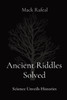
"Old Enigmas Settled: Science Discloses Chronicles" is a captivating investigation into the confounding embroidered artwork of our past, winding around together the strings of history and science to...
Discover your next great read at BookLoop, Australiand online bookstore offering a vast selection of titles across various genres and interests. Whether you're curious about what's trending or searching for graphic novels that captivate, thrilling crime and mystery fiction, or exhilarating action and adventure stories, our curated collections have something for every reader. Delve into imaginative fantasy worlds or explore the realms of science fiction that challenge the boundaries of reality. Fans of contemporary narratives will find compelling stories in our contemporary fiction section. Embark on epic journeys with our fantasy and science fiction titles,
Shop Trending Books and New Releases
Explore our new releases for the most recent additions in romance books, fantasy books, graphic novels, crime and mystery books, science fiction books as well as biographies, cookbooks, self help books, tarot cards, fortunetelling and much more. With titles covering current trends, booktok and bookstagram recommendations, and emerging authors, BookLoop remains your go-to local australian bookstore for buying books online across all book genres.
Shop Best Books By Collection
Stay updated with the literary world by browsing our trending books, featuring the latest bestsellers and critically acclaimed works. Explore titles from popular brands like Minecraft, Pokemon, Star Wars, Bluey, Lonely Planet, ABIA award winners, Peppa Pig, and our specialised collection of ADHD books. At BookLoop, we are committed to providing a diverse and enriching reading experience for all.
Sign In
your cart
Your cart is empty
Menu
Search
PRE-SALES
If you have any questions before making a purchase chat with our online operators to get more information.