Trending Bestseller

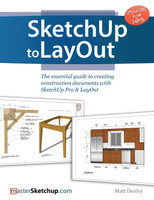
SketchUp to LayOut

The essential guide to creating construction documents with SketchUp Pro & LayOut

Matt Donley

No reviews yet Write a Review
Paperback / softback
04 July 2015
$85.00
Ships in 3-5 business days
Hurry up! Current stock:

The SketchUp to LayOut book is the essential guide for woodworkers, carpenters, architects, contractors, builders, and designers who already know the basics on how to use SketchUp, but are looking to create stunning presentations to visualize their ideas with their clients using LayOut.

Learn the workflow for creating SketchUp models specifically for LayOut

Before you even begin modeling that first rectangle, you'll need to fully understand which type of model you should be building for LayOut. Don't make the mistake of creating twice the amount of work for yourself because you didn't properly organize your model ahead of time. I'll teach you how to save time and frustration by organizing your model so YOU are in control of how your model viewports look. The entire first half of the book is dedicated to preparing your model for LayOut. From organizational workflow, to scenes and styles. Then, I share with you my 5 step method to visualize and prepare every scene I create for LayOut. These 5 steps will give you full control over the look of your model in LayOut.

  1. Visible Objects - Control what's visible in your scene by hiding or unhiding layers.
  2. Foreground Depth - Set the viewing plane depth at which you begin to see objects in your scene. By default, the foreground depth starts at the location of your camera, but you can manually set a foreground depth using section cuts and clipping planes.
  3. Background Depth - Set how deep into the model you want to see by using object masks or fog.
  4. Camera Perspective - Position your camera to the view you want to see, and configure your field of view and perspective settings.
  5. Style - Determine how your model will look. This includes render settings for the faces and edges in your model, but also includes specialty settings like watermarks, guides, and section planes.

Not only will you understand exactly what those five points are, you'll learn multiple ways to control them. Using these methods, you will gain complete control over the look of your viewports in LayOut. You will master every aspect of a SketchUp scene and style, to enable you to create impressive presentations and drawings in the least amount of time possible.

Who is this book for?

This book is designed for construction professionals who don't have any prior experience in LayOut at all. But it's also structured in a way that lets you look up specific tasks or methods without having to read the book cover to cover. I'll save you all the time and frustration that I went through when I first learned LayOut by quickly orienting you with the workspace, then jumping right in to creating your own titleblock, inserting SketchUp models, and adding dimensions. You should have some basic knowledge on how to use SketchUp. But if you're just starting out, you'll have complete access to my entire library of tutorials and videos for free on my website to bring you up to speed quickly. Every important aspect of LayOut is explained in the book, with step by step instructions for you to follow along. Learn exactly what you need to know and skip over all the little details you don't need to worry about. The book has been updated for 2014 so you'll even learn about the new Auto-Text tag feature, saving you a ton of time on those redundant text edits.

This product hasn't received any reviews yet. Be the first to review this product!

$85.00
Ships in 3-5 business days
Hurry up! Current stock:

SketchUp to LayOut

$85.00

Description

The SketchUp to LayOut book is the essential guide for woodworkers, carpenters, architects, contractors, builders, and designers who already know the basics on how to use SketchUp, but are looking to create stunning presentations to visualize their ideas with their clients using LayOut.

Learn the workflow for creating SketchUp models specifically for LayOut

Before you even begin modeling that first rectangle, you'll need to fully understand which type of model you should be building for LayOut. Don't make the mistake of creating twice the amount of work for yourself because you didn't properly organize your model ahead of time. I'll teach you how to save time and frustration by organizing your model so YOU are in control of how your model viewports look. The entire first half of the book is dedicated to preparing your model for LayOut. From organizational workflow, to scenes and styles. Then, I share with you my 5 step method to visualize and prepare every scene I create for LayOut. These 5 steps will give you full control over the look of your model in LayOut.

  1. Visible Objects - Control what's visible in your scene by hiding or unhiding layers.
  2. Foreground Depth - Set the viewing plane depth at which you begin to see objects in your scene. By default, the foreground depth starts at the location of your camera, but you can manually set a foreground depth using section cuts and clipping planes.
  3. Background Depth - Set how deep into the model you want to see by using object masks or fog.
  4. Camera Perspective - Position your camera to the view you want to see, and configure your field of view and perspective settings.
  5. Style - Determine how your model will look. This includes render settings for the faces and edges in your model, but also includes specialty settings like watermarks, guides, and section planes.

Not only will you understand exactly what those five points are, you'll learn multiple ways to control them. Using these methods, you will gain complete control over the look of your viewports in LayOut. You will master every aspect of a SketchUp scene and style, to enable you to create impressive presentations and drawings in the least amount of time possible.

Who is this book for?

This book is designed for construction professionals who don't have any prior experience in LayOut at all. But it's also structured in a way that lets you look up specific tasks or methods without having to read the book cover to cover. I'll save you all the time and frustration that I went through when I first learned LayOut by quickly orienting you with the workspace, then jumping right in to creating your own titleblock, inserting SketchUp models, and adding dimensions. You should have some basic knowledge on how to use SketchUp. But if you're just starting out, you'll have complete access to my entire library of tutorials and videos for free on my website to bring you up to speed quickly. Every important aspect of LayOut is explained in the book, with step by step instructions for you to follow along. Learn exactly what you need to know and skip over all the little details you don't need to worry about. The book has been updated for 2014 so you'll even learn about the new Auto-Text tag feature, saving you a ton of time on those redundant text edits.

Customers Also Viewed

Buy Books Online at BookLoop

Discover your next great read at BookLoop, Australiand online bookstore offering a vast selection of titles across various genres and interests. Whether you're curious about what's trending or searching for graphic novels that captivate, thrilling crime and mystery fiction, or exhilarating action and adventure stories, our curated collections have something for every reader. Delve into imaginative fantasy worlds or explore the realms of science fiction that challenge the boundaries of reality. Fans of contemporary narratives will find compelling stories in our contemporary fiction section. Embark on epic journeys with our fantasy and science fiction titles,

Shop Trending Books and New Releases

Explore our new releases for the most recent additions in romance books, fantasy books, graphic novels, crime and mystery books, science fiction books as well as biographies, cookbooks, self help books, tarot cards, fortunetelling and much more. With titles covering current trends, booktok and bookstagram recommendations, and emerging authors, BookLoop remains your go-to local australian bookstore for buying books online across all book genres.

Shop Best Books By Collection

Stay updated with the literary world by browsing our trending books, featuring the latest bestsellers and critically acclaimed works. Explore titles from popular brands like Minecraft, Pokemon, Star Wars, Bluey, Lonely Planet, ABIA award winners, Peppa Pig, and our specialised collection of ADHD books. At BookLoop, we are committed to providing a diverse and enriching reading experience for all.