Unlock the power of WinUI and supercharge your Windows app development with .NET and C# using this beginner's guide
Key Features
Find out how to create modern Windows apps with native UI controls
Get to grips with modernizing existing desktop apps with a modern UI
Leverage WinUI code to build apps for iOS, Android, the web, and more
Purchase of the print or Kindle book includes a free PDF eBook
Book Description
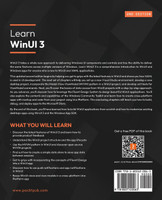
WinUI 3 takes a whole new approach to delivering Windows UI components and controls and has the ability to deliver the same features across multiple versions of Windows. Learn WinUI 3 is a comprehensive introduction to WinUI and Windows apps for anyone who is new to WinUI and XAML applications.
This updated second edition begins by helping you get to grips with the latest features in WinUI and shows you how XAML is used in UI development. The next set of chapters will help you set up a new Visual Studio environment, develop a new desktop project, incorporate the Model-View-ViewModel (MVVM) pattern in a WinUI project, and develop unit tests for ViewModel commands. Next, you'll cover the basics of data access from WinUI projects with a step-by-step approach. As you advance, you'll discover how to leverage the Fluent Design System to design beautiful WinUI applications. You'll also explore the contents and capabilities of the Windows Community Toolkit and learn how to create cross-platform apps with markup and code from your project using Uno Platform. The concluding chapters will teach you how to build, debug, and deploy apps to the Microsoft Store.
By the end of this book, you'll have learned how to build WinUI applications from scratch and how to modernize existing desktop apps using WinUI 3 and the Windows App SDK.
What you will learn
Discover the latest features of WinUI 3 and learn how to provide product feedback
Understand the WinUI project structure and the app lifecycle
Use the MVVM pattern in WinUI and discover open source MVVM projects
Find out how to create a simple data store to save app data between sessions
Get to grips with incorporating the concepts of Fluent Design into a WinUI app
Discover how to use push notifications and app notifications in WinUI
Reuse WinUI views and view models in a cross-platform Uno Platform app
Who this book is for
This book is for anyone looking to develop applications for Windows with a modern UI. If you're familiar with Windows desktop app development and want to enhance your knowledge of the latest Windows development techniques, this book is for you. Whether you're starting a new project or planning to modernize your existing Windows apps, this book will provide you with guidance. Hands-on experience with C# and .NET is expected, but no prior knowledge of WinUI or the Windows App SDK is required.
Table of Contents
Introduction to WinUI
Configuring the Development Environment and Creating the Project
MVVM for Maintainability and Testability
Advanced MVVM Concepts
Exploring WinUI Controls
Leveraging Data and Services
Fluent Design System for Windows Applications
Adding Windows Notifications to WinUI Applications
Enhancing Applications with the Windows Community Toolkits
Unlock the power of WinUI and supercharge your Windows app development with .NET and C# using this beginner's guide
Key Features
Find out how to create modern Windows apps with native UI controls
Get to grips with modernizing existing desktop apps with a modern UI
Leverage WinUI code to build apps for iOS, Android, the web, and more
Purchase of the print or Kindle book includes a free PDF eBook
Book Description
WinUI 3 takes a whole new approach to delivering Windows UI components and controls and has the ability to deliver the same features across multiple versions of Windows. Learn WinUI 3 is a comprehensive introduction to WinUI and Windows apps for anyone who is new to WinUI and XAML applications.
This updated second edition begins by helping you get to grips with the latest features in WinUI and shows you how XAML is used in UI development. The next set of chapters will help you set up a new Visual Studio environment, develop a new desktop project, incorporate the Model-View-ViewModel (MVVM) pattern in a WinUI project, and develop unit tests for ViewModel commands. Next, you'll cover the basics of data access from WinUI projects with a step-by-step approach. As you advance, you'll discover how to leverage the Fluent Design System to design beautiful WinUI applications. You'll also explore the contents and capabilities of the Windows Community Toolkit and learn how to create cross-platform apps with markup and code from your project using Uno Platform. The concluding chapters will teach you how to build, debug, and deploy apps to the Microsoft Store.
By the end of this book, you'll have learned how to build WinUI applications from scratch and how to modernize existing desktop apps using WinUI 3 and the Windows App SDK.
What you will learn
Discover the latest features of WinUI 3 and learn how to provide product feedback
Understand the WinUI project structure and the app lifecycle
Use the MVVM pattern in WinUI and discover open source MVVM projects
Find out how to create a simple data store to save app data between sessions
Get to grips with incorporating the concepts of Fluent Design into a WinUI app
Discover how to use push notifications and app notifications in WinUI
Reuse WinUI views and view models in a cross-platform Uno Platform app
Who this book is for
This book is for anyone looking to develop applications for Windows with a modern UI. If you're familiar with Windows desktop app development and want to enhance your knowledge of the latest Windows development techniques, this book is for you. Whether you're starting a new project or planning to modernize your existing Windows apps, this book will provide you with guidance. Hands-on experience with C# and .NET is expected, but no prior knowledge of WinUI or the Windows App SDK is required.
Table of Contents
Introduction to WinUI
Configuring the Development Environment and Creating the Project
MVVM for Maintainability and Testability
Advanced MVVM Concepts
Exploring WinUI Controls
Leveraging Data and Services
Fluent Design System for Windows Applications
Adding Windows Notifications to WinUI Applications
Enhancing Applications with the Windows Community Toolkits
A beginner's guide to building Windows applications with WinUI for UWP and desktop applicationsKey Features:Create modern Windows 10 applications and gain access to UI controls that were previously...
Get ready to build applications that can run anywhere using the Uno Platform and WinUI.Modern application development can be an intimidating and complex topic, especially when you are building...
Unleash the power of computer vision with Python using OpenCVKey Features:Create impressive applications with OpenCV and PythonFamiliarize yourself with advanced machine learning conceptsHarness the...
This Second Edition of the highly popular and best-selling The Only Way to Learn Astrology series continues the traditions of Volumes 1 and 2 by presenting refinements of astrological interpretation,...
Discover your next great read at BookLoop, Australiand online bookstore offering a vast selection of titles across various genres and interests. Whether you're curious about what's trending or searching for graphic novels that captivate, thrilling crime and mystery fiction, or exhilarating action and adventure stories, our curated collections have something for every reader. Delve into imaginative fantasy worlds or explore the realms of science fiction that challenge the boundaries of reality. Fans of contemporary narratives will find compelling stories in our contemporary fiction section. Embark on epic journeys with our fantasy and science fiction titles,
Shop Trending Books and New Releases
Explore our new releases for the most recent additions in romance books, fantasy books, graphic novels, crime and mystery books, science fiction books as well as biographies, cookbooks, self help books, tarot cards, fortunetelling and much more. With titles covering current trends, booktok and bookstagram recommendations, and emerging authors, BookLoop remains your go-to local australian bookstore for buying books online across all book genres.
Shop Best Books By Collection
Stay updated with the literary world by browsing our trending books, featuring the latest bestsellers and critically acclaimed works. Explore titles from popular brands like Minecraft, Pokemon, Star Wars, Bluey, Lonely Planet, ABIA award winners, Peppa Pig, and our specialised collection of ADHD books. At BookLoop, we are committed to providing a diverse and enriching reading experience for all.
Sign In
your cart
Your cart is empty
Menu
Search
PRE-SALES
If you have any questions before making a purchase chat with our online operators to get more information.