


EXCEL VBA
A Comprehensive, Step-By-Step Guide On Excel VBA Finance For Data Reporting And Business Analysis
Delivery estimate
Please enter a valid 4-digit Australian postcode.
to ·
Delivery estimate
Please enter a valid 4-digit Australian postcode.
to ·
EXCEL VBA
Description
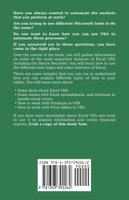
Have you always wanted to automate the analysis that you perform at work?
Are you trying to use different Microsoft tools to do the same?
Do you want to know how you can use VBA to automate these processes?
If you answered yes to those questions, you have come to the right place.
Over the course of the book, you will gather information on some of the most important features of Excel VBA including the Macro Recorder. You will learn how to use the different data types and other features of Excel.
There are some samples that you can use to understand how you can analyze different types of data in your tables. You will learn more about:
- Some facts about Excel VBA
- Some issues with Excel spreadsheets, and solutions to handle those errors
- How to work with Vlookups in VBA
- How to work with Pivot tables in VBA
If you have some knowledge about Excel VBA and want to use it to analyze information and create financial reports, Grab a copy of this book Now.
Shipping & Processing
This item is in stock with our supplier and usually ships within 3–5 business days.
Processing times
- In stock: Items marked “In Stock” are on our shelves. We pick, pack and ship them within 1–2 business days.
- In stock with our supplier: Items not marked “In Stock” are held by one of our Australian or overseas suppliers. We order them in for you and they usually dispatch within 2–5 business days (3–5 for some suppliers). The estimate next to the price is for this item.
- Special orders: Some supplier items, such as specialist and imported items, titles awaiting reprint and print-on-demand titles, take longer to arrive. If your order includes one, we’ll update you as soon as we hear from our supplier.
- Supplier delays: Occasionally a supplier is delayed, or their stock information turns out to be inaccurate. We’ll keep your order open for up to 60 days. If an item hasn’t shipped or isn’t on its way to us by then, we’ll cancel that item and refund it.
How accurate is availability?
Availability is based on the stock levels our suppliers tell us they hold, and we update it regularly. If a supplier issue affects your order, we’ll let you know with an updated estimate.
Delivery
- As soon as your order ships you’ll get an email with tracking.
- Australia Post usually delivers within 2–10 business days of shipping (around 4 in metro areas and around 6 in regional areas).
- If your order has more than one item, we hold the in-stock items until everything is ready, so we can ship your whole order together in one parcel.
- Shipping cost: Free on orders over $100 within Australia, otherwise $9.95 flat rate per order however many items you buy. Free shipping applies to Australian addresses only; delivery to New Zealand is $14.95 per order.
- Check your address: If an order goes to an incorrect address you gave us, or isn’t collected and Australia Post returns it to us, you’ll need to pay the postage to send it again.
Cancellations
Need to change or cancel an order? Contact us as soon as possible at contact@bookloop.com.au or through our contact page.
- Within 30 minutes: You can change or cancel your order for a full refund within 30 minutes of placing it.
- After 30 minutes: Your order is already being processed, so it can no longer be changed or cancelled. If we can accept a late cancellation, we may offer store credit instead of a refund.
- Items in transit: Once an item is on its way, either from our supplier to us or from us to you, it can’t be cancelled. If you no longer want it once it arrives, you can return it as a change of mind, with return postage at your cost. See Returns.
- Separate orders can’t be combined once they’ve been placed, and adding or swapping items can change the delivery estimate.
- Supplier delays: Occasionally a supplier is delayed, or their stock information turns out to be inaccurate. We’ll keep your order open for up to 60 days. If an item hasn’t shipped or isn’t on its way to us by then, we’ll cancel that item and refund it.
Faulty or damaged items are always covered. See Returns.
Returns
Damaged or incorrect items (within 30 days)
If an item arrives damaged or isn’t what you ordered, contact us within 30 days of delivery. We may ask for a photo, and if we need the item back we’ll send a prepaid return label, so it costs you nothing. You’ll receive a replacement or refund, as guaranteed under the Australian Consumer Law.
Change of mind (within 30 days)
We offer a refund or store credit for change of mind within 30 days of purchase when:
- you have your proof of purchase;
- the item is unused and in its original condition and packaging;
- it isn’t a sale item, special order, custom item or gift voucher.
You pay the postage to return change-of-mind items. Change-of-mind returns aren’t available for print-on-demand titles or bulk orders with special pricing.
Returned to sender
If an order is sent to an incorrect address you gave us, or isn’t collected and Australia Post returns it to us, you’ll need to pay the postage to send it again.